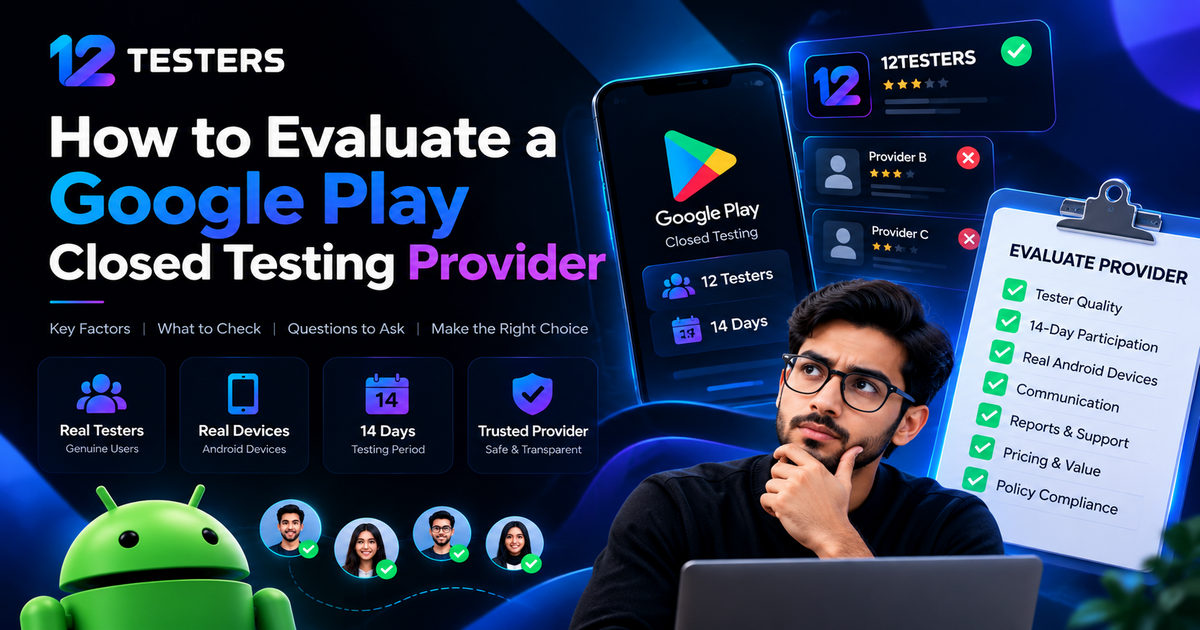
How to Evaluate a Google Play Closed Testing Provider
Choosing the right Google Play closed testing provider can make the app testing process easier to organize, especially for developers who struggle to find enough testers. However, not every service offers the same level of communication, tester participation, transparency, or support.
Before choosing a provider, Android developers should understand what the service includes, how testers participate, what happens during the testing period, and whether the provider makes realistic promises.
In this guide, we explain how to evaluate a Google Play closed testing provider, which questions to ask before placing an order, and how to identify a service that fits your app's needs.
What Is a Google Play Closed Testing Provider?
A Google Play closed testing provider is a third-party service that helps app developers organize access to testers for an app distributed through Google Play's closed testing track.
Depending on the provider, a service may include tester recruitment, opt-in assistance, installation guidance, participation monitoring, communication, and testing feedback.
These services can be useful for developers who have difficulty recruiting testers through their personal networks or developer communities.
However, hiring a provider does not guarantee Google Play production access. Google evaluates the developer's application and may require additional testing.
1. Check Whether the Provider Understands Google's Requirements
The first step is to confirm that the provider understands the testing requirements relevant to your developer account.
Google requires developers with personal accounts created after November 13, 2023, to complete a closed test involving at least 12 testers who remain opted in continuously for at least 14 days before applying for production access.
Meeting the minimum testing requirement does not automatically guarantee approval. Google also considers the testing process and the information submitted in the production access application.
A reliable provider should explain these requirements clearly rather than promising guaranteed approval.
Before choosing a service, ask:
Does the provider understand the 12-testers and 14-day requirement?
Will testers receive clear instructions for joining the test?
How will participation be monitored?
What happens if a tester leaves the testing program?
Does the provider explain the limits of its service?
You can verify the official requirements in the Google Play Console Help Center.
2. Evaluate Tester Quality and Participation
The number of testers is important, but participation and feedback also matter.
A provider should explain how it recruits testers, communicates with them, and encourages them to participate throughout the testing period.
Ask whether testers will:
Join the correct Google Play testing track.
Follow the supplied testing instructions.
Remain opted in for the required period.
Install and use the test version as appropriate.
Report bugs or usability issues when requested.
Google recommends giving testers clear instructions and providing a channel for feedback. Testing should help developers identify problems and improve their apps, rather than simply count participants.
Avoid providers that rely on fake participation, misleading activity reports, or promises that testers will guarantee production approval.
3. Confirm How the 14-Day Testing Period Is Managed
For eligible new personal developer accounts, Google specifies a minimum of 14 continuous days of closed-test opt-in for at least 12 testers.
This makes the testing timeline an important part of evaluating a provider.
Before placing an order, ask the provider to explain:
When the testing period begins.
How testers receive the opt-in link.
How participation is monitored.
How tester dropouts are handled.
What happens if the minimum requirement is no longer met.
The provider should communicate any delays or participation problems promptly.
Remember that the relevant requirement is continuous opt-in for the required testers, not simply waiting 14 calendar days after creating a testing track.
4. Look for Transparent Communication
Good communication can prevent misunderstandings during closed testing.
Before choosing a service, determine how you will contact the provider and receive updates.
Look for:
Clear instructions before testing starts.
A defined process for submitting your app information.
Updates about the testing timeline.
A way to report problems.
Realistic expectations about what the provider can deliver.
A provider should explain its responsibilities and limitations before you pay.
Be cautious if a service avoids answering questions, provides unclear timelines, or promises outcomes that it cannot control.
5. Review the Service's Deliverables
Different providers offer different levels of support. Do not assume that every service includes bug reports, screenshots, daily updates, or detailed testing documentation.
Check the package description carefully and ask what you will receive.
A useful comparison checklist includes:
Service feature | What to verify |
|---|---|
Tester recruitment | How testers are recruited and organized |
Opt-in support | Instructions for joining the correct test |
Participation monitoring | What monitoring or status updates are provided |
Communication | How you can contact the provider |
Testing feedback | Whether feedback or bug reports are included |
Timeline | Expected start date and testing duration |
Support | How delays and problems are handled |
Choose a package based on your actual requirements rather than the number of features listed on a sales page.
6. Compare Pricing and Value
Price is another important factor when evaluating a Google Play closed testing provider.
The cheapest service may not offer the communication or support you need. On the other hand, a more expensive package is not automatically better.
Compare providers based on the actual service included, not just the headline price.
Consider these questions:
How many testers are included?
Is the testing period clearly specified?
Are support and progress updates included?
Are there additional charges?
What is the refund or cancellation policy?
Are the deliverables explained before checkout?
A transparent provider should make it easy to understand what you are purchasing.
Avoid paying extra for claims of guaranteed approval or special access to Google's production review process.
7. Check Reviews and Reputation
Customer reviews can help you understand how a provider works with developers.
Look for reviews that discuss specific aspects of the experience, such as communication, reliability, support, and whether the service matched the advertised package.
When evaluating testimonials, consider:
Whether the reviews appear authentic.
Whether feedback describes actual service experiences.
Whether the provider responds professionally to complaints.
Whether there is a clear support contact.
Whether the provider explains its policies publicly.
Do not rely entirely on testimonials displayed on the provider's own website. Where possible, compare them with independent reviews and other available evidence.
No provider's past success can guarantee the outcome of your own production access application.
8. Understand Google Play Policy and Account Safety
Your app must comply with Google Play's applicable policies, regardless of which testing provider you choose.
Before beginning a test, make sure your app is stable, its core functionality works, its store listing and declarations are accurate, and any required test credentials are valid.
A provider can help organize testing, but it cannot take responsibility for every aspect of your app's policy compliance.
Be cautious of services that recommend fake reviews, misleading engagement, policy evasion, or guaranteed approval.
You remain responsible for your app and the information you submit to Google Play.
Read the official Google Play closed testing guidance and app testing requirements before starting.
9. Ask These Questions Before Choosing a Provider
Before making a decision, send the provider a short list of questions:
How do you recruit and organize your testers?
How do you help testers join the correct testing track?
How do you monitor participation during the testing period?
What happens if a tester leaves before the required period ends?
Are feedback and progress updates included in the package?
What is the expected timeline?
What support is available if something goes wrong?
What is your refund or cancellation policy?
Do you guarantee Google Play production access?
For the last question, a trustworthy provider should explain that Google's final decision is outside its control.
The answers will help you compare providers based on transparency, service quality, and realistic expectations.
10. Use a Checklist to Make Your Final Decision
Before choosing a provider, review the following checklist.
The service clearly explains what is included.
The provider understands Google's applicable testing requirements.
Tester recruitment and participation are explained.
The 14-day timeline is clearly described.
Communication and support channels are available.
Pricing and refund terms are transparent.
Reviews can be evaluated critically.
The provider avoids guaranteed-approval claims.
The service does not promote fake participation or policy evasion.
If important details are missing, ask for clarification before placing an order.
Why Choose 12Testers for Your Closed Testing Needs?
At 12Testers, we focus on helping Android developers organize Google Play closed testing with a clear service process.
Our service is designed around the core requirements developers commonly ask about: 12 testers, a 14-day testing period, and support throughout the testing process.
Before starting, developers should review the package details, understand the information needed for setup, and confirm which support and reporting features are included.
We believe clear expectations and communication are essential to a better testing experience.
If you are preparing an Android app for closed testing, visit 12testers.co to learn more about our service.
Frequently Asked Questions
How do I choose a Google Play closed testing provider?
Compare tester recruitment, participation monitoring, communication, service deliverables, pricing, reviews, and policy awareness. Choose a provider that explains its process clearly and makes realistic promises.
Is 12 testers for 14 days enough for Google Play production access?
For eligible new personal developer accounts, Google requires at least 12 testers to remain opted in continuously for at least 14 days before applying for production access. Meeting this requirement does not guarantee approval.
Can a testing provider guarantee Google Play approval?
No third-party provider can guarantee Google's production access decision. Google reviews the developer's application and may require additional testing.
Should I choose the cheapest testing service?
Not necessarily. Compare what each package includes, how the provider communicates, and what support is available. The best choice depends on your app's needs and your budget.
What should I do if testers leave during the testing period?
Contact your provider and check your testing status in Play Console. For accounts subject to the 12-testers requirement, you need at least 12 testers to remain opted in continuously for the required 14 days. Ask how the provider handles dropouts and delays.
Does Google Play closed testing help improve app quality?
Yes. Closed testing allows developers to gather feedback from selected users, identify bugs, and improve usability before a wider release. The value depends on the quality of the testing process and the feedback collected.
Final Thoughts
Choosing a Google Play closed testing provider involves more than comparing prices or counting testers. You should evaluate the provider's recruitment process, participation monitoring, communication, service deliverables, reputation, and understanding of Google's requirements.
A transparent provider can help organize the testing process, but your app's quality, policy compliance, and production access decision remain important.
Take time to compare your options, ask questions, and choose a service that fits your requirements.
Ready to organize your app's closed testing? Visit 12testers.co to explore the available service and learn how to get started.