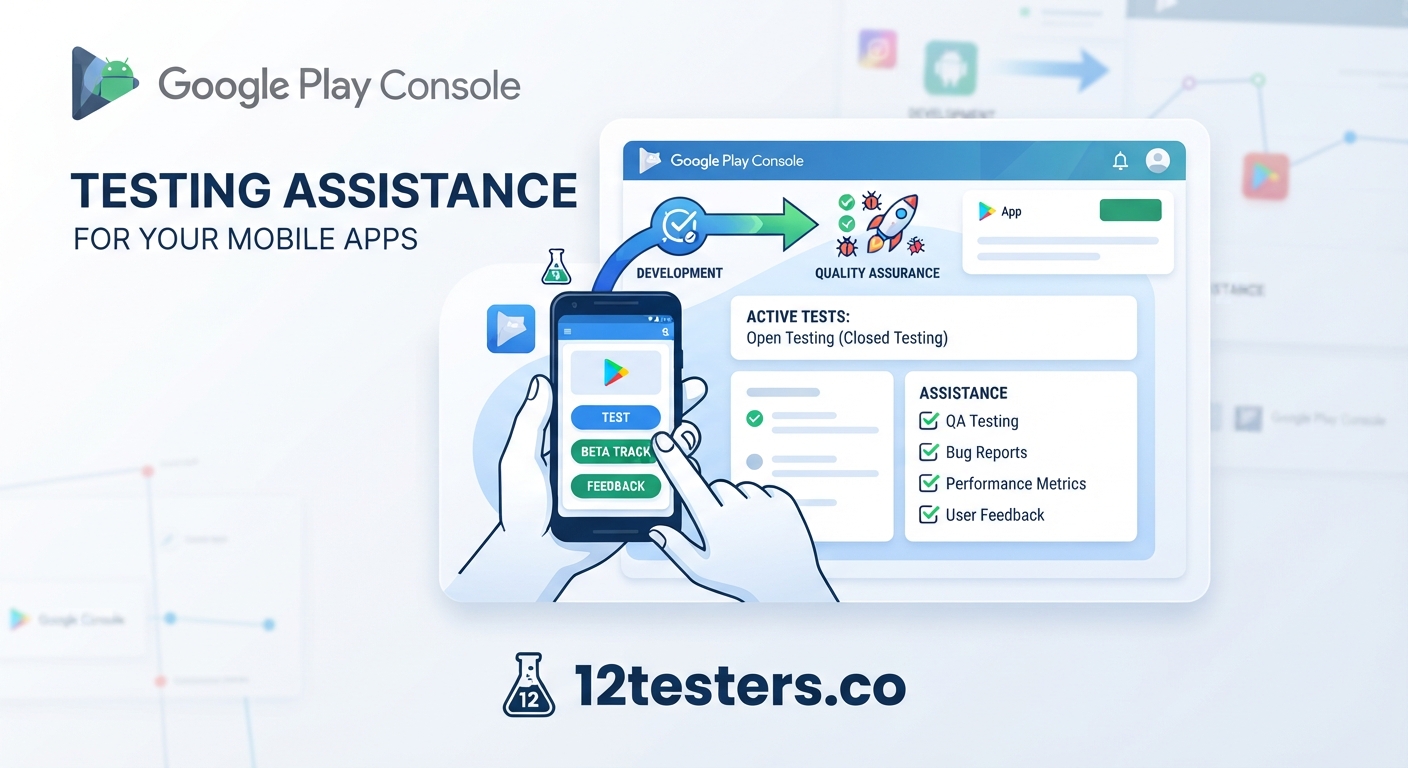
Publishing an Android application on Google Play is an exciting milestone for every developer. However, preparing an app for release involves several steps, and Google Play Console testing is one of the most important parts of the process.
Many Android developers, especially beginners and independent app publishers, face difficulties when configuring testing tracks, adding testers, sharing opt-in links, monitoring participation, and preparing for production access.
This is where Google Play Console testing assistance can be helpful.
Whether you are a Flutter developer, Android developer, React Native developer, or app publisher, understanding the testing process can help you avoid common mistakes and prepare your application for a successful launch.
In this guide, we will explain Google Play Console testing assistance, how closed testing works, common problems developers face, and how to get support with organizing testers.
What Is Google Play Console Testing Assistance?
Google Play Console testing assistance refers to guidance and support that helps Android developers manage the testing process before publishing an application publicly.
It can include assistance with:
Understanding Google Play testing requirements.
Setting up internal and closed testing tracks.
Creating tester email lists or Google Groups.
Sharing testing opt-in links.
Helping testers join the testing program.
Monitoring tester participation.
Collecting testing feedback.
Understanding production access requirements.
Troubleshooting common testing problems.
The goal is to make the testing process easier to understand and manage.
Testing assistance does not replace Google's official review process. Developers remain responsible for their applications, developer accounts, and compliance with Google Play policies.
Why Is Google Play Console Testing Important?
Testing allows developers to identify problems before making their applications available to a wider audience.
An application may work correctly on the developer's device but experience problems on other Android devices.
For example:
A registration screen may not work correctly.
Some buttons may become unresponsive.
Certain Android versions may experience crashes.
API requests may fail.
Navigation may be confusing.
Some features may not work as expected.
Testing helps developers identify these problems and improve their applications.
For eligible personal developer accounts created after November 13, 2023, Google also requires a specific closed testing process before production access can be requested.
Understanding the testing process is therefore important for both app quality and publishing readiness.
1. Understand the Different Google Play Testing Tracks
Google Play Console provides different testing options depending on the development stage and testing requirements.
Internal Testing
Internal testing is designed for quickly sharing an app with a small group of trusted testers.
Key points:
Supports up to 100 testers.
Useful for early testing.
Helps identify basic technical problems.
Releases can become available quickly.
Internal testing is useful when you want to check whether your app works before moving to a wider testing group.
Closed Testing
Closed testing allows developers to distribute an app to selected testers.
You can manage testers through:
Email lists.
Google Groups.
Supported organization-based access.
Closed testing is especially important for developers who need to meet Google's applicable pre-production testing requirements.
For eligible newer personal developer accounts, the requirement includes at least 12 testers continuously opted in for 14 days before applying for production access.
Open Testing
Open testing allows a larger group of users to participate in testing.
Depending on your app's publishing status and configuration, users may be able to find the test through Google Play or join through a shared link.
Open testing is useful when you want feedback from a broader audience.
2. Common Google Play Console Testing Problems
Many developers encounter problems while configuring or managing their testing tracks.
Here are some common situations where testing assistance can help.
Problem 1: Unable to Find the Closed Testing Option
New developers sometimes struggle to locate the correct testing section in the Play Console.
The testing navigation may be unfamiliar, especially for someone publishing their first application.
How to solve it:
Sign in to the Google Play Console.
Select your application.
Navigate to Test and release.
Open Testing.
Select Closed testing.
Create or manage the appropriate testing track.
Make sure your app has the necessary release information before proceeding.
Problem 2: Unable to Add Testers
Adding testers incorrectly can prevent them from accessing your application.
Google Play supports different methods for managing closed testers, including email lists and Google Groups.
How to solve it:
Open your app in the Play Console.
Navigate to Closed testing.
Select Manage track.
Open the Testers tab.
Choose Email or Google Groups.
Add the appropriate tester list.
Save your changes.
Double-check that the correct tester list is selected for the intended testing track.
Problem 3: Testers Cannot Access the Opt-In Link
Sometimes developers share a testing link, but testers cannot join the program.
There can be several reasons:
The testing release has not been published.
The app is still in draft status.
The tester is not included in the correct list.
The tester has not joined the required Google Group.
The wrong testing link was shared.
How to solve it:
Check the release status and tester configuration.
For closed testing through Google Groups, testers must join the relevant group before opting into the test.
Also remember that Google states the opt-in link is available when the testing app status is Published, not Draft or Pending publication.
Problem 4: Google Play Console Shows Zero Installed Testers
This can be confusing for developers who have already shared their testing link.
Inviting someone does not necessarily mean that the person has opted in and installed the application.
Check the following:
Did testers join the correct Google Group?
Did they complete the opt-in process?
Did they install the app through Google Play?
Are they using the correct Google account?
Is the testing release published?
Review the tester participation information in Play Console rather than relying only on invitation counts.
Problem 5: Fewer Than 12 Testers Remain Opted In
For eligible personal developer accounts, at least 12 testers must remain opted in continuously for 14 days.
If the number falls below the required level, you may not meet the requirement.
How to solve it:
Review tester participation regularly.
Contact testers if they experience access problems.
Organize additional genuine testers.
Make sure participants understand their responsibilities.
Maintain the required continuous testing period.
Recruiting a few additional testers can provide a useful buffer against unexpected dropouts.
Problem 6: Production Access Is Not Approved
Completing 14 days of testing does not automatically guarantee production access.
Google also considers tester engagement, feedback, application quality, and production readiness.
If your application is not approved, read the feedback provided in the Play Console.
Identify the issues, continue meaningful testing, improve the app where necessary, and prepare more detailed answers before applying again.
3. How to Set Up Google Play Closed Testing
If you are preparing your first closed testing release, follow this general process.
Step 1: Prepare Your Application
Before starting, make sure you have:
A valid Android App Bundle (AAB).
An application name.
A configured Play Console listing.
Required app information.
A suitable testing build.
Check the application for major functionality problems before inviting testers.
Step 2: Create a Closed Testing Track
Open Google Play Console and select your application.
Navigate to:
Test and release → Testing → Closed testing
Open the available closed testing track or create an additional track if needed.
Step 3: Configure Tester Access
Open the Testers tab.
You can manage access using:
Email lists.
Google Groups.
Select the appropriate tester access method and configure the list.
Step 4: Publish the Testing Release
Prepare your testing release and follow the required Play Console steps.
Review the release information before submitting it for testing.
Step 5: Share the Opt-In Link
Once the testing release is available, copy the opt-in link and share it with your selected testers.
Each tester needs to complete the opt-in process.
For Google Groups-based testing, testers must join the group first.
Step 6: Collect Feedback
Provide testers with a clear way to report their experiences.
You can use:
Email.
Google Forms.
A feedback website.
A private community.
Google's available private feedback options.
Review the feedback and fix important problems.
Step 7: Monitor Testing Participation
Keep track of participation throughout the testing period.
For eligible personal developer accounts, maintain at least 12 continuously opted-in testers for the required 14 days.
After completing the testing requirements, review your app's readiness and prepare the production access application.
4. When Should You Get Google Play Console Testing Assistance?
Not every developer needs external assistance. However, support can be useful in several situations.
First-Time Android Developers
If you are publishing your first application, the Play Console can feel complicated.
Guidance can help you understand the testing tracks, tester access configuration, and publishing workflow.
Flutter and React Native Developers
Cross-platform developers may focus primarily on building their applications.
They may need additional guidance when preparing Android releases and organizing Google Play testing.
Developers Who Cannot Find Enough Testers
Finding 12 genuine testers can be difficult when you do not have an established developer community.
A dedicated testing service may help organize tester participation.
Developers Facing Production Access Problems
If Google requests additional testing, you may need to review tester participation, improve feedback collection, and organize another testing cycle.
A suitable service can assist with the tester coordination part of the process.
5. What Should You Look for in a Google Play Testing Assistance Provider?
Choosing the right provider is important.
Before purchasing a service, evaluate these factors.
Understanding of Google Play Requirements
The provider should understand the applicable 12-tester and 14-day requirements.
Genuine Tester Participation
Ask how testers are recruited and how participation is organized.
Clear Communication
You should understand the testing process, expected timeline, and available support.
Transparent Pricing
Check what is included in the package and whether additional services cost extra.
Feedback and Reporting
Ask whether the provider offers feedback collection, progress updates, or testing reports.
Realistic Expectations
Avoid services that guarantee production access or promise special approval from Google.
A provider can help with testing organization, but Google's final decision remains independent.
6. Why Choose 12Testers for Google Play Testing Assistance?
At 12Testers, our primary focus is helping Android developers organize Google Play closed testing.
We understand that finding testers and managing the testing process can be challenging, particularly for developers working independently.
Our main service is built around:
12 Testers for 14 Days
We aim to make the testing coordination process straightforward for Android developers preparing their applications for Google Play.
Our Service Focus
12-Testers Coordination
Assistance with organizing the required number of testers for your closed testing process.
14-Day Testing Period
A structured testing timeline based on the applicable Google Play requirement.
Android Tester Participation
Coordination involving real Android users and devices.
Testing Process Support
Help with relevant testing-related questions and process coordination.
Developer-Friendly Process
A straightforward service designed for independent developers, startups, and app publishers.
Whether you are preparing your first Android app or organizing another testing cycle, you can explore our service.
Visit 12testers.co to learn more.
Please remember that our service supports the testing process. Google independently evaluates production access applications, and approval cannot be guaranteed.
7. Google Play Console Testing Assistance Checklist
Before starting your testing process, review this checklist.
Application Preparation
Prepare a valid Android App Bundle.
Check the main app features.
Review application permissions.
Complete required Play Console information.
Prepare the testing release.
Testing Configuration
Select the correct closed testing track.
Configure tester email lists or Google Groups.
Publish the testing release.
Share the correct opt-in link.
Verify tester access.
Testing Participation
Confirm tester opt-in.
Check installations.
Encourage genuine app usage.
Collect feedback.
Review reported issues.
Maintain the applicable testing requirements.
Production Preparation
Review tester feedback.
Fix important problems.
Check application stability.
Prepare accurate production access answers.
Review Google's current publishing requirements.
Frequently Asked Questions (FAQ)
1. What is Google Play Console testing assistance?
Google Play Console testing assistance is support that helps developers configure testing tracks, organize testers, share opt-in links, monitor participation, and understand testing requirements.
2. How many testers are required for Google Play closed testing?
For eligible personal developer accounts created after November 13, 2023, Google requires at least 12 testers to remain continuously opted in for at least 14 days before applying for production access.
3. Can I get help setting up a Google Play closed testing track?
Yes. You can use Google's official documentation or seek guidance from an experienced testing assistance provider to understand the setup process.
4. Why are my testers unable to join closed testing?
Possible reasons include an unpublished testing release, an incorrect opt-in link, an incorrect tester list, or failure to join the required Google Group.
5. Does Google Play Console show installed testers?
Play Console provides testing and installation information, but invitation, opt-in, and installation are different stages. Review the relevant testing information rather than assuming every invited tester has installed the app.
6. Can a testing assistance provider guarantee production access?
No. A provider can help organize testers and support the testing process, but Google independently reviews production access applications.
7. Can Flutter developers use Google Play closed testing assistance?
Yes. Flutter applications published through Google Play follow the applicable Android testing and publishing requirements.
8. What happens after completing 14 days of closed testing?
Eligible developers can apply for production access after meeting the testing requirements. Google then reviews the application and may request additional testing.
9. Can I use Google Groups for closed testing?
Yes. Google Play supports Google Groups as a tester access method for closed testing. Testers must join the specified group before opting into the test.
10. Where can I get 12 testers for 14 days?
You can recruit testers through your own network, developer communities, or dedicated testing providers such as 12Testers.
New to closed testing? Read our guide to the Google Play closed testing requirements first so you know what Google expects. If Google has already rejected you, learn how to fix a rejected production application. And if you plan to hire help, compare providers before you buy so you choose one you can trust.
Final Thoughts
Google Play Console testing is an important step in preparing Android applications for production.
From configuring closed testing tracks to organizing testers and collecting feedback, developers need to understand several parts of the process.
If you are having difficulty managing testing on your own, getting appropriate assistance can make the process easier to organize.
Focus on genuine tester participation, meaningful feedback, application quality, and Google Play policy compliance.
If you need help organizing your closed testing process, explore the 12 Testers for 14 Days service at 12testers.co.
Prepare your app. Organize your testers. Test with confidence.