Should You Create a Private Limited Company to Skip the Google 12 Testers Rule?
Quick Answer
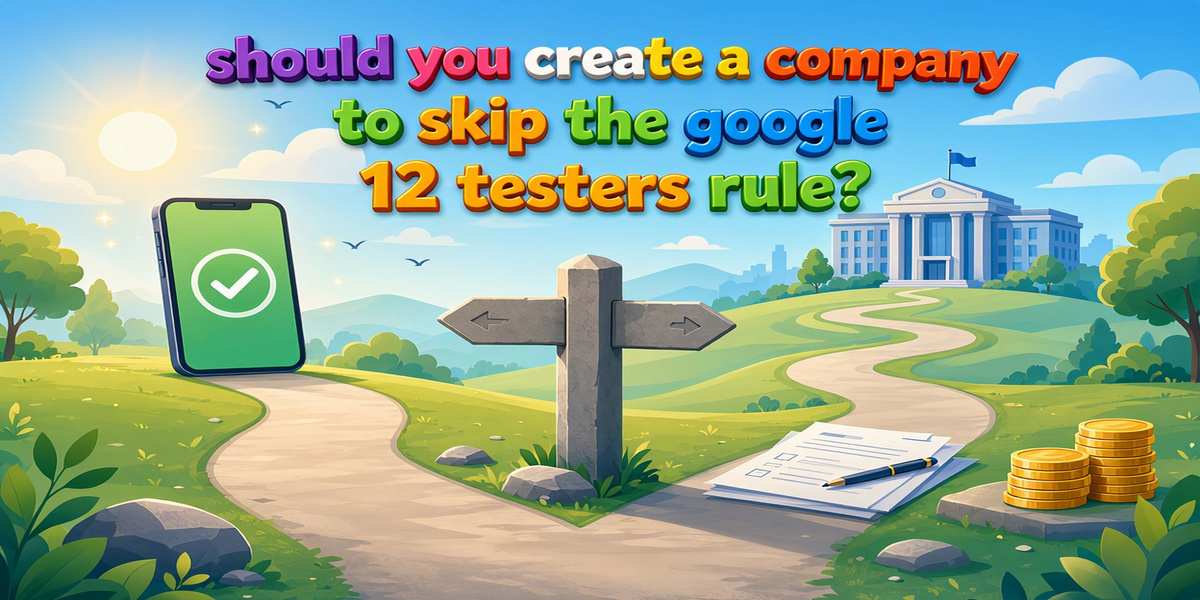
No, you should not create a company only to skip the 12 testers rule. Organization accounts are exempt from the closed testing rule. But you need a real, registered business and a D-U-N-S number. Setup can take weeks and costs money. Google also checks your identity. Running the 14-day closed test is usually faster, cheaper, and safer.
What Is the 12 Testers Rule?
Google Play has a rule for new personal developer accounts. You must run a closed test before you publish. At least 12 testers must opt in. They must stay opted in continuously for the 14 days before you apply for production access.
Google wants proof that real people tested your app on real phones. The rule protects users from broken apps.
Many new developers feel stuck here. They finish the app. Then they must wait 14 more days. Some then look for a shortcut. One popular idea is this: "I will form a company and open an organization account."
This guide explains that idea. It covers what works, what does not, and what to do instead.
You can read the full rule in our post on the Google Play 12 testers requirement.
Do Company Accounts Skip the Rule?
Yes, in most cases. The rule targets personal accounts. Google limits it to personal accounts created after November 13, 2023. Organization accounts fall outside it.
So the idea is not crazy. A real business with a real organization account does not face this test.
But the keywords are "real business." Google does not hand out organization accounts to anyone who asks. You must prove who you are. And that is where this plan starts to fall apart.
What an Organization Account Needs
An organization account asks for much more than a personal account. You must provide:
A legal business name and address.
A D-U-N-S number.
A contact email and phone number.
A verified website.
Business documents and an ID.
Google asks for your legal name, address, and a D-U-N-S number when you register as an organization. Google also states it will not make exceptions for organization accounts that lack a D-U-N-S number.
A D-U-N-S number is a unique ID for a business. Dun & Bradstreet issues it. You need a registered company to get one.
So the first step is a legal company. The second step is a D-U-N-S number. Only then can you start the Google account.
The Real Timeline
Let us compare the two paths with real numbers.
Path 1: Run the closed test
Find 12 or more testers: 1 to 3 days.
Run the test: 14 days.
Apply and wait for review: a few days.
Total: about 3 weeks.
Path 2: Form a company
Register the company: days to weeks, based on your country.
Get a D-U-N-S number: this can take up to 30 days, plus up to five days for payment checks.
Verify your website and documents: several more days.
Wait for Google to review the account.
Total: often 4 to 8 weeks.
One comparison puts a new business plus an organization account at 4 to 8 weeks, depending on your country. The closed test is shorter.
The company path only wins when you already own a registered business with a D-U-N-S number. In that case, an organization account makes sense.
The Money Side
A company has costs. Prices vary by country, but most places charge for these:
Registration fees.
A lawyer or agent to set it up.
An accountant.
Yearly filings and reports.
Business taxes.
These costs come back every year. A small developer can easily spend hundreds of dollars a year to keep a company alive. Some countries charge much more.
Compare that to the closed test. You need 12 testers for 14 days. That costs little or nothing if you use friends and developer groups. A paid service costs far less than a company.
If you want to see real prices, read our guide on affordable 12-tester services.
The Work After You Form the Company
A company is not a one-time task. It comes with duties.
You must keep records. You must file reports on time. You must pay taxes. You must keep your address and details current. Missing a deadline can bring fines.
Many solo developers do not want this. They want to build apps. A company adds paperwork to every month of their life.
Think about this before you start. Ask yourself: "Do I want a business, or do I just want my app live?"
If you want your app live, the test is the easier road.
The Trust and Risk Problem
This part matters most.
Google verifies the identity behind organization accounts. It shows verified information on Google Play so users can trust developers. If you form a company only to avoid a rule, you create a thin story. The company has no history. It has no staff. It has no clear business purpose beyond the workaround.
Here are the risks:
Verification can fail. Google may ask for more proof. A weak or empty company can fail the checks. Then you lose time and money.
Linked accounts raise questions. Google has rules about related accounts. If you have an older account with problems, a second account tied to the same person can draw attention.
Misrepresenting yourself breaks the rules. The developer terms expect honest information. Giving false details to Google can lead to suspension.
Account loss hurts a lot. If Google closes an account, you can lose your apps, reviews, and user base. That is a heavy price for skipping two weeks of testing.
We cannot see inside Google's systems. We do not claim to know every check it runs. But the risk is real, and the gain is small. Honest businesses do not face this problem. Workaround companies might.
If your account already faced trouble, read our post on a Google Play production access rejection. It explains the right way to fix it.
When a Company Account Makes Sense
A company account is not always a bad idea. It fits some cases well.
You already own a business. If you have a registered company, use an organization account. It is the honest, correct choice.
You plan to build a team. Several people can manage one organization account. That helps.
You offer apps under a brand. A company name looks more professional on your store page.
You need business features. Some features and policies fit organizations better.
In these cases, the company exists for real reasons. The exemption is a bonus, not the goal.
A good rule: form a company because your business needs one. Do not form a company only to dodge a test.
What to Do Instead
The closed test is easier than it looks. Here is a simple plan.
Step 1: Prepare a working app
Fix crashes before you upload. Make sure sign-in works. Check that the main features run on a real phone.
Step 2: Create your closed track
Open the Play Console. Go to Testing, then Closed testing. Create a track and upload your release.
Step 3: Find testers
Use one or more of these:
Friends and family with Android phones.
Developer groups on Reddit, Discord, or Telegram.
A testing service.
Step 4: Aim for 15 to 20 testers
You need 12. But people leave. Extra testers protect your count.
Step 5: Keep testers active
Ask them to open the app. Ask them to try features. Ask them to report bugs.
Step 6: Use the 14 days well
Fix bugs. Upload updates. Keep notes. These notes help you write strong answers when you apply.
Step 7: Apply for production access
After 14 days, answer Google's questions with honest, clear details.
If your test goes wrong, do not worry. Read why a Google Play closed test failed and how to fix it.
Use a Testing Service to Save Time
Finding 12 people takes effort. Many developers stall on this step. A testing service removes the stress.
A good twelve-tester Google Play testing service does these things:
Supplies real people with real Android devices.
Keeps them opted in for all 14 days.
Makes them use your app.
Shares bug reports.
Answers your questions.
At 12testers.co, [describe your real process here: how you find testers, how you check them, and what you send to clients. Use only facts you can prove].
Not sure which service to trust? Read our list of the best Google Play closed testing service options. You can also learn to evaluate any closed testing provider before you pay.
If you want hands-on help inside the Play Console, see our guide on Google Play Console testing assistance.
Company Route vs. Closed Test: Side by Side
Closed test | New company | |
|---|---|---|
Time | About 3 weeks | Often 4 to 8 weeks |
Cost | Free or low | Setup plus yearly fees |
Paperwork | Little | A lot |
Risk | Low | Higher |
Best for | Solo developers | Real businesses |
Special Cases
Apps made with AI tools
Some developers build apps with AI coding tools. These apps can hide bugs. The 14-day test helps you find them. Read how to publish a vibe-coded app on Google Play.
Paid apps you want to give away
Do you want to offer a paid app for free? That has its own steps and traps. Read how to offer a paid Android app free on Google Play.
Frequently Asked Questions
Do company accounts skip the 12 testers rule?
Yes, in most cases. Google applies the rule to new personal accounts. Organization accounts are exempt. But you need a real business and a D-U-N-S number.
What do I need for an organization account?
You need a legal business name, address, D-U-N-S number, contact details, and a verified website. Google also checks your identity.
How long does a D-U-N-S number take?
It can take up to 30 days. The time varies by country. Check with Dun & Bradstreet for your location.
Is it faster to form a company or run the test?
The test is usually faster. It takes about 14 days plus review. A new company often takes several weeks.
Is it illegal to form a company for this?
Forming a company is legal. But giving false information to Google can break its terms. Ask a local lawyer if you have doubts.
Can I switch from a personal account to an organization account?
You can create an organization account and transfer your app. This needs a D-U-N-S number and a new $25 account. Check Google's current steps first.
What if I already own a company?
Use an organization account. It is the correct fit, and it skips the test.
Can a testing service guarantee production access?
No. Only Google decides. Do not trust anyone who promises it.
How many testers should I use?
Use 15 to 20. This protects you if some testers leave.
Final Thoughts
Company accounts can skip the 12 testers rule. That part is true. But the plan only works for people who already have a real business.
For everyone else, the math is clear. A company costs more. It takes longer. It adds paperwork. It also adds risk.
The 14-day test is short. You can use it to find bugs and improve your app. You can pass it with real testers and honest effort.
Pick the path that fits your real situation. If you have a business, use an organization account. If you are a solo developer, run the test and launch with confidence.
Sources: Google Play Console Help, "Test your app with closed testing" and "Requirements for developer account verification."