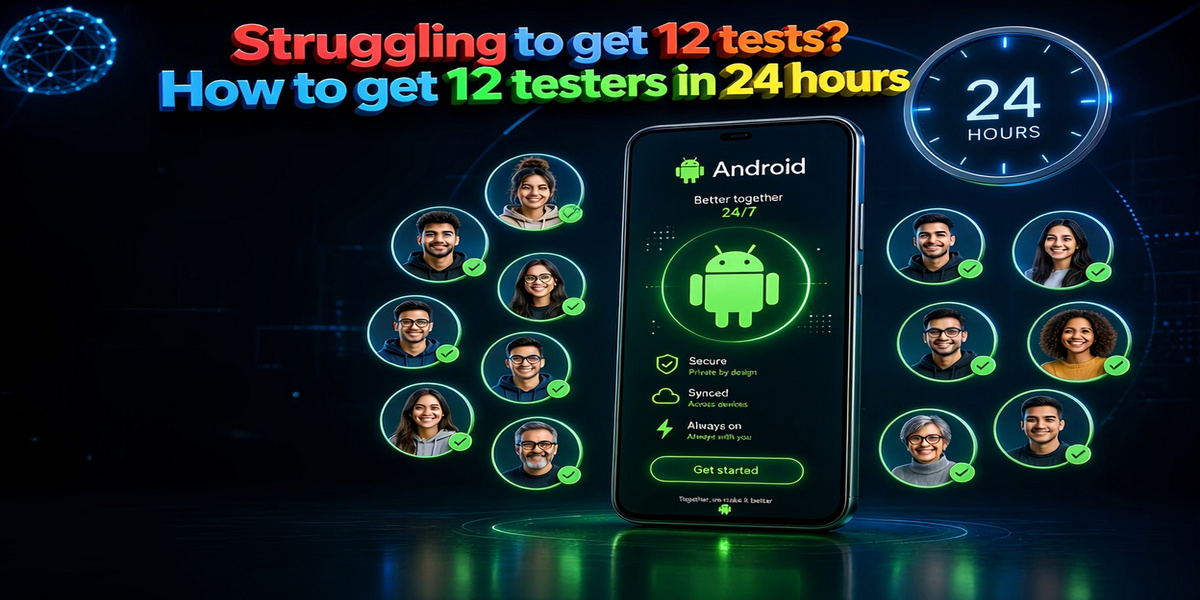
Struggling to Get 12 Testers? How to Get 12 Testers in 24 Hours
You built your app. You set up the Google Play Console. You are ready to publish.
Then Google stops you. You need 12 testers to run a closed test for 14 days first.
This rule blocks many new developers. They cannot find 12 people. Or the testers leave too early. Or the application gets rejected after the test.
This guide fixes that. You will learn how to get 12 testers fast, how to keep them for 14 days, and how to apply for production access.
Quick Answer: How to Get 12 Testers in 24 Hours
You can find and enroll 12 testers in 24 hours. You cannot skip the 14-day test. Here is the fastest path:
Set up your closed testing track.
Create a tester list or Google Group.
Copy your opt-in link.
Send the link to 20 or more people, and use a testing service if you need speed.
Check that each tester joins and installs the app.
Keep at least 12 testers active for 14 days.
Apply for production access.
What Is the Google Play 12 Testers Requirement?
Google requires new personal developer accounts to run a closed test before launch. The test needs at least 12 testers who opt in. They must stay opted in for 14 days in a row.
Google wants real people to try your app before it reaches a large audience. This helps catch bugs and poor quality early.
The rule applies to newly created personal accounts. Organization accounts may not need it. Check your own Play Console to see what applies to you. For a full breakdown, read our guide to the Google Play 12 testers requirement.
Can You Really Get 12 Testers in 24 Hours?
Yes, but be clear about what "24 hours" means.
You can do this in 24 hours:
Recruit 12 testers
Get them to opt in
Get them to install your app
You cannot do this in 24 hours:
Finish the 14-day test
Get production access
Google sets the 14 days. No person and no service can shorten it. Be careful with any site that says it can.
So your real goal is simple. Start the 14 days as soon as you can. Every day you wait to find testers delays your launch by one day.
Set Up Your Closed Testing Track First
Do this before you look for testers. It takes about 30 minutes.
Open Google Play Console.
Go to Testing, then Closed testing.
Create a new track.
Upload your app bundle (AAB file).
Fill in the app content details.
Create a tester list. Use email addresses or a Google Group.
Save and roll out the release.
Copy the opt-in link.
A Google Group makes this easier. You add testers to the group, and you do not need to edit the release each time.
One more point. A tester must click the opt-in link and install the app from the Play Store. Adding an email to a list is not enough.
Where to Find 12 Testers Fast
Use more than one source. Start all of them on day one.
1. Use a Closed Testing Service
A testing service is the fastest way to reach 12. The service gives you real testers. They opt in, install your app, and stay active.
Before you pay, ask these questions:
Are the testers real people on real Android devices?
Does the service replace testers who drop out?
Can you see the tester count?
Does the service tell you the 14-day rule still applies?
Walk away if a service promises to skip the 14 days. Walk away if it uses bots or fake accounts. Google can suspend your account for that.
Our guides can help you compare options:
2. Ask Your Own Network
Friends, family, coworkers, and old classmates can all help. Message 20 to 30 people. Not all of them will follow through.
Be clear. Do not just ask, "Can you test my app?" Tell them exactly what to do:
Click this link.
Install the app from the Play Store.
Keep it installed for 14 days.
Open it a few times during that period.
Clear requests get more yes answers. Send the opt-in link in the same message. Do not ask people to search for your app.
3. Post in Developer Communities
Many developers face this same rule. Some of them will test your app if you test theirs.
Good places to post:
Reddit communities for app testing
Android developer groups on Discord
Indie developer groups on Telegram
Facebook groups for app developers
Keep your post short and honest. Say that you need 12 closed testers. Say it takes 14 days. Offer to test their app in return.
4. Use Social Media
Post on LinkedIn or X. Say what you need and put the opt-in link in the post. Keep it under five lines. People act when the steps are short.
5. Join a Tester Exchange
In a tester exchange, you test other apps, and they test yours. It costs no money. It does cost time. It also works best when you start early, because you need to wait for others to finish their side.
How to Keep 12 Testers for 14 Days
Finding testers is half the job. Keeping them is the other half.
If your count falls below 12, your test period can be affected. Plan for that.
Recruit more than 12. Aim for 16 to 20 testers. Some people will join and leave. A buffer protects you.
Send a reminder after 24 hours. Many people say yes and forget. One message brings many of them back.
Tell testers what to expect. Explain that the test lasts 14 days. Ask them not to uninstall the app.
Check in at day 7. Send a short thank-you note. Ask for feedback. People stay when they feel involved.
Give something back. Offer to test their app. Or add their name to your app credits. Or give them early access to new features.
Check Play Console every day. Look at the tester count. If it drops, find a replacement the same day.
Free vs. Paid: Which Is Better?
Free methods | Paid service | |
|---|---|---|
Cost | $0 | Varies |
Speed | Slow to medium | Fast |
Reliability | Testers may drop out | Often includes replacements |
Your effort | High | Low |
Best for | Flexible deadlines | Tight deadlines |
Free methods work if you have time and a good network. A paid service makes sense if you have a launch date, a client waiting, or a past test that failed.
Many developers mix both. They use a service for the core 12 and add friends as a backup.
Common Mistakes to Avoid
Waiting too long. The 14-day period starts when your testers are enrolled. Start recruiting the day your track goes live.
Using only one source. If that source fails, you lose days. Use three or four at once.
Counting people who never installed. An opt-in click is not enough. Check that each person installed the app.
Using fake testers. Bots and fake accounts break Google's rules. They put your developer account at risk. Never use them.
Ignoring feedback. Your testers will find bugs. Fix them during the test. Release updates. This shows Google that you took testing seriously.
Writing a weak application. Many developers pass the test and then fail the application. They write one line like "The app works well." Do not do that. We explain how to fix this in our post on Google Play production access rejected.
What to Do During the 14 Days
Do not wait quietly. Use the time well.
Read tester feedback every few days.
Fix bugs and crashes.
Release at least one update.
Note what you changed and why.
Track your tester count each day.
Keep a simple log. Write the date, the tester count, and any changes. You will need these notes later.
How to Apply for Production Access
After 14 days with 12 or more testers, you can apply in the Play Console.
Google asks questions about your test. Answer them in detail. Say:
How you found your testers
What feedback you got
What bugs you fixed
What changes you made to the app
Who your target users are
Be honest and specific. Short, vague answers often lead to rejection.
If Google rejects your application, do not panic. Read the reason. Fix the problem. Apply again.
Special Case: Apps Built With AI Tools
Many new developers now build apps with AI coding tools. These apps often have bugs, thin features, or unclear purpose. Google may reject apps that feel unfinished.
Test your app well before you start the 14-day period. Make sure the main features work. Read our guide on publishing a vibe-coded app on Google Play.
Frequently Asked Questions
How many testers do I need for Google Play?
You need at least 12 testers who opt in to your closed test. They must stay opted in for 14 days in a row.
Can I get 12 testers in 24 hours?
Yes. You can recruit and enroll 12 testers in one day. The 14-day test period still applies.
Can I get 12 testers for free?
Yes. Ask friends, family, and developer communities. Use a tester exchange. This takes more time and effort than a paid service.
What happens if a tester leaves during the test?
Your tester count may fall below 12. Replace the tester right away. This is why you should recruit 16 to 20 people at the start.
Do testers need to use the app every day?
No. But they should open it a few times during the 14 days. Real use gives you better feedback and a stronger application.
Do testers need Android phones?
Yes. They need an Android device and a Google account with Play Store access.
Is it safe to use a testing service?
It is safe if the service uses real people and follows Google's rules. Avoid any service that uses bots, fake accounts, or fake activity.
Does the 12 testers rule apply to every developer?
It applies to new personal developer accounts. Check your Play Console to see if it applies to you.
How long does production access take?
Google reviews your application after you apply. The time can vary. Check the Play Console for updates.
Final Thoughts
The 12 testers rule slows down many developers. But it is not hard once you have a plan.
Set up your closed testing track today. Share your opt-in link with 20 or more people. Use a testing service if you need speed. Keep your testers active for 14 days. Fix bugs as you go. Then apply for production access with clear, honest answers.
Start today. Your 14-day clock only runs once your testers are enrolled.
Need help with the process? Learn more about our Twelve Testers Google Play testing service and our Google Play Console testing assistance.