Why Google Play Closed Testing Fails: 10 Reasons and How to Fix Each One
Short answer
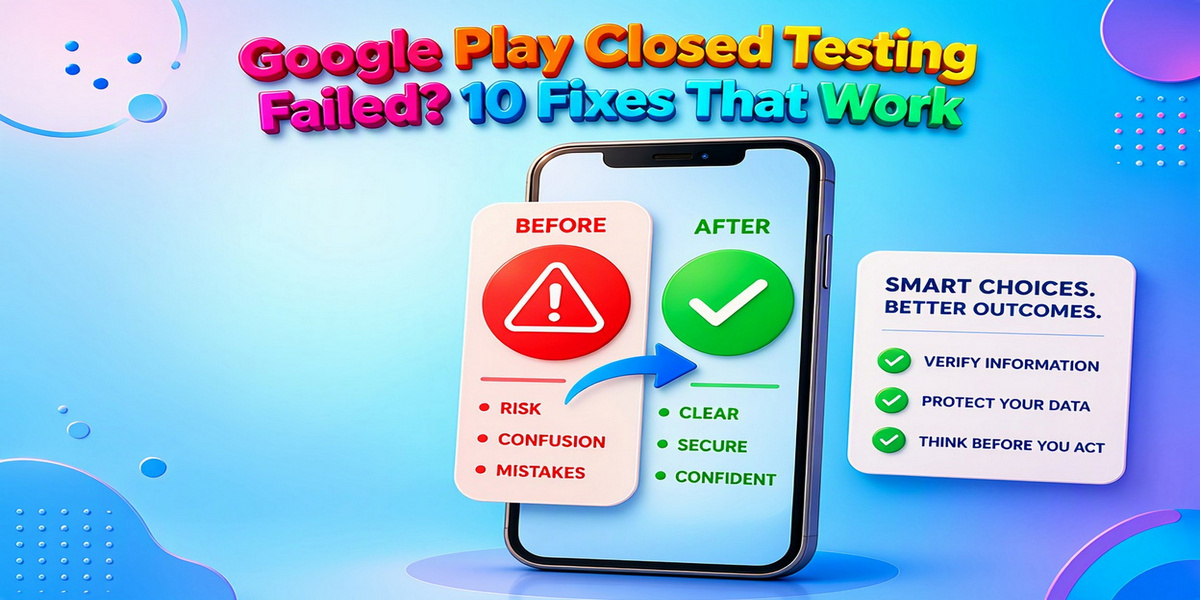
Google Play closed testing fails for two main reasons. First, fewer than 12 testers stay opted in for 14 days in a row. Second, Google reviews your test and decides your app needs more testing.
Both problems have clear causes. You can fix them. Your developer account is not banned. Your app is not deleted. You keep your package name and your store listing.
This guide shows you the 10 most common reasons a closed test fails. It also shows you how to fix each one and how to pass on your next try.
What closed testing needs
Google requires a closed test for new personal developer accounts. You must finish it before you can apply for production access. Production access lets you publish your app to everyone on Google Play.
Here are the basic rules:
You need at least 12 testers.
Each tester must opt in to your closed test.
Testers must stay opted in for 14 days in a row.
Testers must install the app from Google Play on a real device.
The number 12 does not mean 12 emails. It means 12 real people who accepted your invite and installed the app. An email in a list does not count. A link you sent in chat does not count until the person opts in and installs.
For the full rule, read our guide on the Google Play 12 testers requirement.
The two ways a closed test fails
Most developers say "my test failed." But that can mean two different things. Find out which one you have. The fix is different for each.
Failure type | When it happens | What you see | Main cause |
|---|---|---|---|
Mid-test problem | During days 1 to 13 | Your day count stops or starts over | Active testers dropped below 12 |
Production access rejection | After you apply | An email saying your app needs more testing | Weak activity, weak answers, or app problems |
Failure type A: The count stops during the test
Say you recruit exactly 12 testers. On day nine, one tester removes the app. Now you have 11. Your progress stops. When a new tester joins, your 14-day period may start over.
This is the most common problem for developers who rely on friends and family.
Failure type B: Google rejects your production access request
You finish 14 days. You send your application. A few days later, you get an email. It says your app needs more testing before it can go public.
Google does not give a detailed reason. You must find the cause yourself. The 10 reasons below will help you do that.
What happens to your account after a failed test
Many developers worry that a failed test will hurt their account. In most cases, it does not.
Here is what usually stays the same:
Your developer account stays active.
Your app and package name stay yours.
Your store listing text, icon, and screenshots stay saved.
Your closed testing track still works.
You can upload new builds right away.
Here is what you must do:
Fix the problems.
Run another full testing period with active testers.
Apply again after that period ends.
A failed test costs you time. It does not cost you your account. Still, you should avoid it. Each failed round can add two weeks or more to your launch date.
If you want to know more about rejection emails, read our post on why Google Play production access gets rejected.
The 10 most common reasons closed testing fails
1. Testers install the app but never use it
This is the top reason for rejection. People call them ghost testers. They install the app on day one. Then they never open it again.
Google can see how people use your app. It looks at how often they open it. It looks at how long they stay. A test with silent installs looks fake.
How to fix it:
Give testers a simple task list for each week.
Ask them to open the app on many different days.
Send a short reminder on day 3, day 7, and day 11.
Ask them to try different screens each time.
Here is a sample plan. On day 2, test sign-up. On day 6, test settings. On day 10, test the app with no internet.
2. Too few testers stay for all 14 days
Some testers leave early. They get a new phone. They clear their storage. They get bored. Each exit can break your count.
If you recruit exactly 12 people, one exit ruins the run.
How to fix it:
Recruit 16 to 20 testers.
Pick people who agree to stay for two weeks.
Tell them not to uninstall the app, even if it has a bug.
Ask them to message you about problems instead.
A buffer of extra testers protects your count. It is the cheapest fix on this list.
3. Your country settings block testers
You can set your closed track to certain countries only. Say you pick only the United States. A tester in Canada, India, or Germany clicks your link. They see an error. They cannot install the app.
How to fix it:
Open Google Play Console.
Go to Testing, then Closed testing.
Open your track and find the Countries and regions tab.
Add the countries where your testers live.
Check this before you send any links. It takes two minutes.
4. Testers opt in but never install
The opt-in link opens a web page. The tester clicks "Become a tester." Many people stop there. They think they are done. They are not.
The tester must also open Google Play and install the app. Until then, Google sees no install.
How to fix it:
Tell testers to install the app right after they opt in.
Ask for a quick "done" message.
Check your install numbers in Play Console.
Confirm that at least 12 devices have the app.
5. You overwrite your tester list
Play Console lets you add testers with an email list. If you upload a new list, it can replace the old one. Old testers may lose access.
This mistake is easy to make. It happens when you add late testers in a hurry.
How to fix it:
Use a Google Group instead of a plain email list.
Add new members to the group.
Link the group to your track once.
Never delete the old list before you save the new one.
A Google Group keeps your testers stable. You can add and remove people without touching your track.
6. Your store listing or app setup is incomplete
Google checks your basics before it checks your test. If something is missing, you may get rejected for that alone.
Common gaps include:
A privacy policy link that shows an error page
A content rating form that is not finished
Missing login details for apps that need a sign-in
A data safety form with wrong answers
Screenshots that do not match the app
How to fix it:
Open every link in your listing. Make sure each one works.
Finish all forms in the App content section.
Add a test account if your app needs a login.
Read each answer in your data safety form twice.
Small gaps cause big delays. Check them before you start the 14 days.
7. You use the wrong track
Internal testing is not closed testing. A build on the internal track does not count toward your 12 testers.
Another common issue is a build that stays in draft. You upload the file, but you never send it for review. Testers cannot get it.
How to fix it:
Confirm your build is on the closed testing track.
Open the Publishing overview page.
Send all pending changes for review.
Make sure your release shows as active.
For help with this setup, read our post on Google Play Console testing assistance.
8. Your app crashes on some phones
Android phones vary a lot. Your app may run well on a Pixel and crash on a Samsung or Xiaomi phone. Google tracks crashes and freezes. Reviewers may also see your Pre-Launch Report.
A test with many crashes looks like a test of a broken app.
How to fix it:
Open Android vitals in Play Console.
Look at crash and ANR reports.
Fix the top problems first.
Upload a new build with a higher version code.
Ask testers on different brands to try the new build.
This step also helps your real users later.
9. You never update the app during the test
A test should show change. You find a bug. You fix it. You ship a new build. That is the full loop.
Say you upload version 1.0.0 on day one. You never touch it again. That looks like no one tested it.
How to fix it:
Plan one or two small updates during the 14 days.
Base each update on real tester feedback.
Write clear release notes for each build.
Keep a record of what changed and why.
Updates do not reset your 14-day period. They help your case.
10. Your application answers are weak
After 14 days, Google asks you questions about your test. Short, vague answers lead to rejection.
Here are the questions in plain words:
How did you find your testers?
What feedback did you get?
What did you change because of it?
Why is your app ready for production?
Your answers must show real work. The next section shows you how.
Weak and strong answers for the production questionnaire
Good answers have details. They name devices, bugs, and build numbers. They show a clear story.
Question: What feedback did you get from testers?
Weak answer:
Testers liked the app. They said it was fast and easy. They had no problems.
This answer has no facts. It sounds made up.
Strong answer:
We tested for 14 days with 16 people on 12 phone models, including Samsung Galaxy, Pixel, and Redmi devices. Two testers on Android 13 said the welcome screen text was cut off. One tester saw a crash when saving a profile name with a symbol. Three testers asked for a confirmation message before deleting an item.
This answer has numbers, devices, and clear problems.
Question: What changes did you make?
Weak answer:
We fixed all bugs and the app is ready.
Strong answer:
In build 1.0.1, we fixed the welcome screen layout on tall screens. In build 1.0.2, we added input checks for profile names and a confirmation box before delete. The testers who found the issues checked the fixes and said they worked.
The strong answer ties each fix to a tester report. That is what reviewers want to see.
Tips for writing your answers
Write in plain words.
Use real data from your test.
Name at least two or three real issues.
Name the build number for each fix.
Keep each answer short and clear.
Never copy someone else's answer. Write your own.
What to do after a failed closed test
Do not panic. Follow these four steps.
Step 1: Read the rejection email
Read every line. Look for words about your store listing, your target audience, or your testing. Write down each hint.
Step 2: Fix the problems
Go through the 10 reasons above. Check each one against your own test. Fix every issue you find.
Step 3: Ship a new build
Raise your version code. Upload a new build to the closed track. Include fixes for any bugs your testers found.
Step 4: Run a strong second test
Recruit at least 16 testers. Use different phone brands. Give them clear tasks. Track their activity through the 14 days.
Then keep notes. Save tester comments. Save screenshots of bugs. Save your release notes. You will need these for your answers.
Need help choosing a partner for round two? Read how to evaluate a Google Play closed testing provider.
A 10-point checklist before you apply again
Use this list before you send your application.
You have at least 14 opted-in testers, which gives you a buffer above 12.
Testers stayed active for 14 days in a row.
Testers opened the app on many different days.
Testers use at least four phone brands.
Your build is on the closed testing track, not internal testing.
You shipped at least one update during the test.
Each update has clear release notes.
Android vitals show no serious crash problems.
Your privacy policy and store listing work and are complete.
Your answers include real devices, bugs, and build numbers.
If you can check all ten, your chances improve a lot.
How to find testers who stay active
Finding testers is the hardest part. Here are your main options.
Friends and family
They are free. But many forget the app after a few days. Some use the same home network. This option works best as a small part of your group.
Developer communities
You can find testers on Reddit, Discord, and Telegram. Many developers swap tests with each other. This is free. But results vary. Some people drop out.
When you post, be clear. Say that you need 14 days. Say the app must stay installed. Offer to test their app too.
Paid testing services
A testing service gives you a group of testers for a fee. Good services replace people who drop out. They also help testers stay active. This option costs money. But it can save weeks of waiting.
To compare prices, read our guide to affordable 12-tester services. To compare options, read our list of the best Google Play closed testing services.
Which option should you pick?
Option | Cost | Dropout risk | Speed |
|---|---|---|---|
Friends and family | Free | High | Slow |
Developer communities | Free | Medium to high | Medium |
Paid testing service | Paid | Low | Fast |
Many developers mix options. They use a service for the core group. They add friends as extra testers.
Built your app with AI tools?
Many new developers build apps with AI coding tools. These apps often work, but they can have hidden bugs. They may also lack a privacy policy or data safety answers.
If you built your app this way, test it on real phones early. Fix crashes before your testers install it. Then follow the same closed testing steps in this guide.
Read our full guide: how to get a vibe-coded app on Google Play.
Frequently asked questions
Does a failed closed test hurt my developer account?
No. A failed test is not a strike. Your account stays active. You can fix your app and try again.
Do I need a new app or package name?
No. Keep the same app and package name. Your listing stays saved.
How long must I wait before I can apply again?
You usually need to finish another testing period with active testers. Plan for at least 14 more days. Check Play Console for the latest rules.
Can I update my app during testing?
Yes. Updates do not reset your testing period. Updates based on tester feedback help your application.
How many testers should I recruit?
Recruit 16 to 20. Google needs 12. The extra people protect you from dropouts.
Do testers need to use the app every day?
Not every day. But they should use it on many different days. An app that opens once and sits idle looks like a ghost install.
Can family members be my testers?
Yes. But do not use only family. Mix in people from different places who use different devices.
Can I use emulators or fake accounts?
No. This breaks Google's rules. It can lead to account suspension. Use real people on real phones.
Does Google explain why it rejected my app?
Usually only in short terms. You often see a message that your app needs more testing. Use the 10 reasons in this guide to find the cause.
Can I appeal a rejection?
You can contact Play Console support. But the faster path is to fix your test and apply again.
How long does the review take?
A review can take a few days. Sometimes it takes longer. Check your Play Console for updates.
What is the fastest way to pass?
Prepare your listing first. Recruit 16 to 20 testers. Give them clear tasks. Ship one or two updates. Write detailed answers.
Final thoughts
A failed closed test feels bad. But the fix is clear. Check your testers. Check your settings. Check your app. Check your answers.
Most failures come from the same few mistakes. Testers who go silent. Too few testers. Wrong settings. Weak answers. You can avoid every one of them.
Start with a buffer of testers. Give them tasks. Ship updates. Keep notes. Then write answers that show real work.
Want to learn more about the full process? Start with our main guide on the twelve testers Google Play testing service.