Google Play 12 Testers for 14 Days: The Complete Guide (2026)
Short answer: If you made a personal Google Play developer account after November 13, 2023, you must run a closed test before you can publish. You need at least 12 testers who stay opted in for 14 days in a row. Then you apply for production access. Google reviews your request and decides.
This guide explains the rule in plain words. You will learn where it came from, who must follow it, what Google counts, and how to pass it. You will also see the myths that waste developers' time.
What is the Google Play 12 testers for 14 days rule?
The rule is a testing step for new developers. Google calls it closed testing. You upload your app to a private test track. You invite testers. They install your app from Google Play and use it. After 14 days, you can ask Google to publish your app to everyone.
Here are the two main parts:
12 testers. At least 12 people must opt in to your closed test.
14 days. Those testers must stay opted in for 14 days in a row.
When you apply for production access, Google checks the count. At least 12 testers must have stayed opted in for the last 14 days.
Meeting the minimum does not mean automatic approval. It only means you can apply. Google then reviews how your testers used the app and how you answered the application questions.
Want the full picture of how we help with this rule? Read our Twelve Testers Google Play testing service guide.
Where did the rule come from?
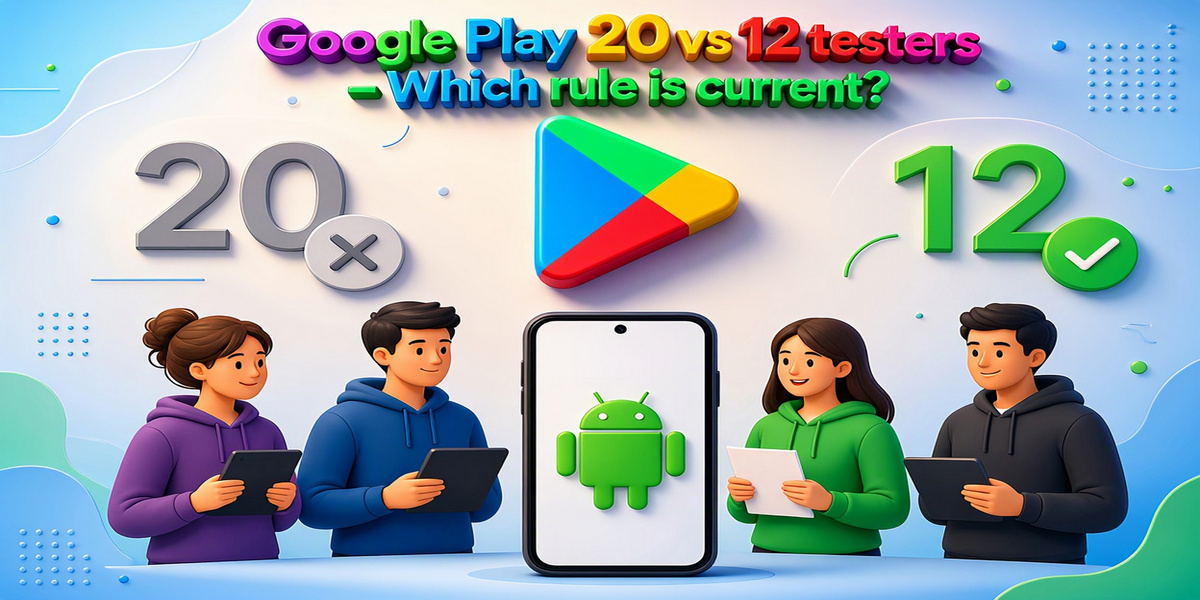
Google added the rule on November 13, 2023. At that time, the rule asked for 20 testers. The 14-day period was the same.
In December 2024, Google lowered the number from 20 to 12. The 14-day period did not change.
Here is the timeline:
Date | What happened |
|---|---|
Before Nov 13, 2023 | New developers could publish without a closed test. |
Nov 13, 2023 | Google started the closed test rule for new personal accounts. It asked for 20 testers. |
Dec 2024 | Google lowered the minimum to 12 testers. |
Since then | The rule has stayed at 12 testers for 14 days. |
Many old guides still say you need 20 testers. Check the date on any guide you read. If it is older than December 2024, it uses the old number. We explain the difference in our post on 20 testers vs 12 testers.
Rules can change again. Always check Google's official help page before you start.
Why did Google add this rule?
Google wants better apps on the Play Store. Before the rule, anyone could pay the registration fee and publish at once. Some people published broken apps. Some published spam. A few published harmful apps.
The closed test adds a delay and a real check. Real people must use your app for two weeks. Google can see if the app opens, works, and gets used.
This helps users. It also helps honest developers, because it keeps the store cleaner. But it adds work for you. That is why so many new developers feel stuck.
Who must follow the rule?
The rule applies to personal Google Play Console accounts created on or after November 13, 2023.
It applies per app. Each new app needs its own closed test.
Who does not need to follow it?
Developers with a personal account made before November 13, 2023.
Developers with an organization account.
If you do not know which account you have, open the Play Console. Check when you made the account and what type it is. Google also shows a notice in the Play Console if your account must complete the test.
Do updates need testers?
No. After Google gives an app production access, you can send updates without a new closed test.
Can I reuse the same testers?
Yes. The same 12 people can test every app you publish. Each app still needs its own 14-day test.
Can a company skip the rule?
Some developers try to open a company just to skip the rule. This often fails and brings new problems. Read why in our guide on whether a company can skip the 12 testers rule.
What counts as a tester?
This is where most developers make mistakes. Google counts opt-ins. It does not count names on a list.
A tester must opt in.
A tester counts only after they open your closed test link and accept. Adding an email address to your tester list does not count by itself.
This is why the Play Console can show 0 testers opted in, even when you added 12 emails. Those people have not accepted yet.
The track must be published.
The opt-in link works only after your closed track shows as published. If you send the link too early, testers see an error.
Testers must install from Google Play.
Testers should join through your opt-in link and install the app from Google Play. Do not send an APK file. An APK install does not count as a closed test opt-in.
Use real people on real phones.
Testers should be real people with Android phones. Google reviews how they use your app. Fake or empty testing leads to rejection.
Internal testers are different.t
Internal testing is a separate track. Someone who is opted in to your internal test is not eligible for your closed test until they opt out of the internal one. Keep your internal and closed testers separate.
Can I be a tester?
Yes, you can be one of the 12 testers. But a few friends are rarely enough. Plan for more people than you need.
How does the 14-day count work?
Most developers think the 14 days start when they create the test. That is not how it works.
Google measures backward from the day you apply. On that day, at least 12 testers must have been opted in for the last 14 days in a row.
Here are the key points:
The clock runs for each tester. A tester's 14 days start when that tester opts in. If a tester joins on day 5, they reach 14 days on day 19.
The days must be in a row. Two short stints do not add up.
Opting out breaks the count. If a tester opts out, they no longer count. If they opt in again, they start 14 days anew
Uninstalling does not remove a tester. Only the opt-out button on the testing page removes them. Tell your testers not to press it.
One dropout does not reset everyone. You only need 12 testers who meet the rule on the day you apply. If you start with 15 and one leaves, the other 14 keep their days.
New builds do not restart the count. You can upload fixes to your closed track during the test. Updating your app is a good habit. Google lists acting on feedback as a testing best practice.
Why you should invite more than 12
People forget. People get busy. People press the wrong button. A buffer protects you. Invite 15 to 25 testers if you can. That way, a few dropouts will not hurt you.
Check the dashboard
Play Console shows how many testers are opted in. This number sometimes lags. If it looks low, ask your testers if they finished the opt-in step.
Day-by-day timeline
Here is what a normal closed test looks like.
When | What happens | What you should do |
|---|---|---|
Day 0 | You create the closed track, upload your app, add testers, and send it for review. | Invite more than 12 testers. |
Days 0 to 2 | Testers open the link, accept, and install the app. | Compare the dashboard count with your list. Remind anyone who has not opted in. |
Days 1 to 14 | Testers use the app. | Ask for feedback. Fix bugs. Upload at least one update. |
Day 14 and after | Once 12 testers have 14 days in a row, you can apply. | Write clear, honest answers to the questions. |
Review | Google usually reviews in about seven days. Some reviews take longer. | Keep the test running while you wait. |
Decision | Google grants access or asks for more testing. | If you need more testing, fix the issues and continue. |
What happens after 14 days?
After 14 days, you do not publish right away. You get the chance to apply for production access.
You apply from the dashboard in the Play Console. Google asks questions about your test. For example, it may ask how you found testers, what feedback you got, and how you improved the app.
Then Google reviews your request. It looks at tester activity, your answers, and the state of your app.
Google then sends one of two emails:
Approved. Google grants production access. You can publish your app.
More testing required. Google asks you to test longer. This email lists possible reasons, such as testers who did not engage or feedback you did not act on.
Why do apps get rejected after the 14 days?
Many developers pass the 14-day count and still get rejected. The count is only the first bar. Google also looks at quality.
Here are the common reasons:
Testers did not use the app. They opted in but never opened it again.
No feedback story. You have nothing specific to show about what testers found.
Vague answers. Generic answers read poorly to reviewers.
App problems. The app crashes, freezes, or does not match its description.
No updates. You never acted on feedback.
More testers do not fix these problems. Google has rejected apps that had far more than 12 testers. Engagement and honest answers matter more than a big number.
Learn more in our guides on why production access gets rejected and what to do when closed testing fails.
Common myths about the 12 testers rule
Myths cost developers weeks. Here are the main ones.
Myth: Adding 12 emails is enough. False. Testers count only after they open the link and accept. A list of 30 emails can still show 0 opted in.
Myth: You need 20 testers. False today. Google used 20 at launch. It lowered the number to 12 in December 2024.
Myth: Internal testers count. False. The rule is about your closed test. Internal testing is optional and separate.
Myth: You can split the 14 days into two parts. False. The days must be in a row.
Myth: One missed day of app use resets the clock. False. Google's published bar is that testers stay opted in. Google judges engagement later, when it reviews your application. Still, steady use across the 14 days gives you a better chance.
Myth: 12 testers for 14 days means automatic approval. False. You only earn the right to apply.
Myth: Every developer must do this. False. Organization accounts and personal accounts made before November 13, 2023 are not listed.
Myth: Uninstalling removes a tester. False. Only opting out removes a tester.
Myth: You can send an APK instead of the link. False. Testers must join through the opt-in link and install from Google Play.
How can you get 12 testers?
You have four main options. Each has good and bad sides.
1. Friends and family
This option is free. But it is the least reliable. People forget to opt in. They install the app once and never open it. Friends with iPhones cannot help at all.
2. Developer communities and forums
You can find other developers on Reddit, Discord, and Telegram. Many developers test each other's apps. This works, but it can be slow. You must also read each group's rules about promotion before you post.
3. Free tester-exchange apps and groups
In these groups, developers test each other's apps. You test a few apps, and others test yours. This is free, but it takes effort. Some testers join once and then disappear.
4. A managed testing service
A service finds testers for you and keeps them active for the full 14 days. This costs money. But it saves time and lowers the risk of dropouts.
Here is a simple comparison:
Option | Cost | Speed | Risk |
|---|---|---|---|
Friends and family | Free | Slow | High. People forget or lose interest. |
Forums and communities | Free | Slow to medium | Medium. Testers may vanish. |
Tester-exchange groups | Free | Medium | Medium. You must test other apps first. |
Managed service | Paid | Fast | Lower. A team manages the testers. |
Not sure which option fits you? Our guides can help you decide. See how to evaluate a closed testing provider, compare the best closed testing services, or look at affordable 12-tester services. If you want hands-on help, read about Google Play Console testing assistance.
Be careful with any service. Check that it uses real people on real devices. Ask how it keeps testers active. Read reviews. Do not trust anyone who promises approval. Google makes the final decision, and no service controls it.
Tips to pass the first time
Use these steps to improve your chances.
Invite 15 to 25 testers. A buffer protects you from dropouts.
Tell testers to stay opted in. Warn them not to press the opt-out button.
Send the opt-in link, not the store link. Only the opt-in link counts.
Check that your app does not crash. A crash on launch kills engagement.
Ask testers to open the app on different days. Steady use looks real.
Collect feedback in writing. Keep notes about what testers found.
Upload at least one update. Fix real bugs and note what you changed.
Answer every question in the application. Give specific, honest answers. Skip filler.
Keep the test running while you wait. Do not stop the closed test after you apply.
Do not fake anything. Fake testers, bots, and made-up feedback can cause rejection.
What if your app is special?
Some apps need extra thought.
Vibe-coded apps. If you built your app with an AI tool, you still must pass the same test. Read our guide on publishing a vibe-coded app on Google Play.
Wear OS apps. A companion app has its own testing steps. See our post on Wear OS closed testing for companion apps.
Paid apps you want to give away. There is a right way and a wrong way to offer a paid app for free. Read how to offer a paid Android app for free on Google Play.
Quick checklist
Before you apply, check each item:
My account is a personal account made after November 13, 2023.
My closed track is published.
At least 12 testers have opted in through the link.
They have stayed opted in for 14 days in a row.
My testers have used the app on several days.
I have notes on their feedback.
I have uploaded at least one update.
My app does not crash.
My answers are clear and specific.
Frequently asked questions
How many testers do I need for Google Play?
You need at least 12 testers who have opted in to your closed test. Google used to ask for 20. It lowered the number to 12 in December 2024.
Do the 14 days have to be in a row?
Yes. Testers must stay opted in for 14 days in a row before you apply. Days from two separate stints do not add up.
When does the 14-day clock start?
Google counts back from the day you apply. Each tester's 14 days start when that tester opts in. Adding an email to your list does not start anything.
What does "0 testers currently opted in" mean?
It means no one has accepted your invite yet, or the dashboard has not updated. Ask your testers to open the opt-in link and accept. Check that your closed track is published.
What if a tester uninstalls the app?
The tester still counts. Only pressing the opt-out button on the testing page removes them.
What if a tester opts out?
They no longer count. If they opt in again, their 14 days start over. Keep a buffer of extra testers for this reason.
Does updating my app reset the 14 days?
Google does not say that updates reset the count. Updates also show that you act on feedback. Upload fixes during the test.
Do internal testers count?
No. The rule is about closed testing. A person who opted in to your internal test must opt out before joining your closed test.
Can I be one of the 12 testers?
Yes. But do not rely on yourself and a few friends. Invite more people.
Can testers live in other countries?
Yes, as long as your closed test is available in their country. You can set the countries when you create the track.
Do I need 12 testers for every new app?
Yes. Each new app needs its own closed test. You can use the same 12 testers each time.
Do I need testers for updates?
No. After Google gives production access, updates do not need a new closed test.
How long does Google take to review production access?
Google says review usually takes seven days or less. Some reviews take longer.
Can I skip the rule?
You can skip it only if your account is exempt. That means an organization account, or a personal account made before November 13, 2023. No one can pay Google to skip it.
Why was my production access rejected?
Google often cites low tester engagement or no action on feedback. Vague answers and app problems also cause rejection. Fix the issues, keep testing with real people, and apply again.
Is it against Google's rules to hire testers?
Google does not tell you where to find testers. But the testers must be real people who use the app. Bots, fake accounts, and fake feedback can lead to rejection. Check any service carefully before you pay.
Final thoughts
The 12 testers for 14 days rule is simple on paper. You need 12 real testers. They must stay opted in for 14 days in a row. Then you apply.
The hard part is not the number. The hard part is keeping testers active and writing honest answers. Invite extra testers. Collect feedback. Fix bugs. Answer every question with care.
If you feel stuck, start with our complete testing service guide. It shows every step in one place.
Always check Google Play Help for the latest rules. Google can change them at any time. We update this guide when it does.