Google Play 20 Testers vs 12 Testers: Which Rule Is Current?
Quick answer
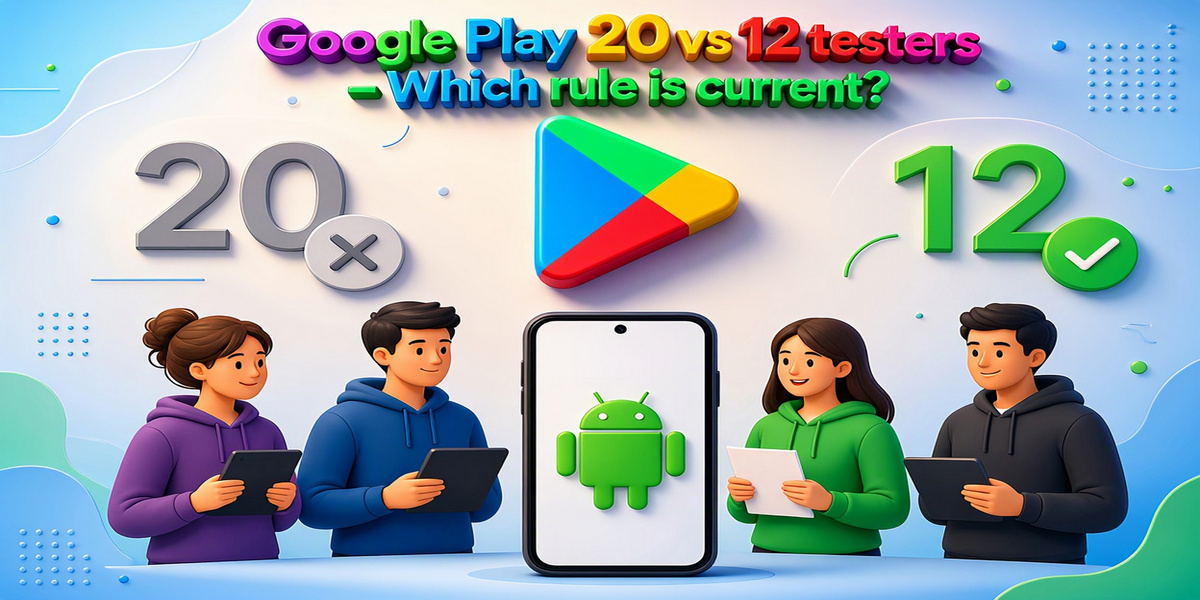
The current rule is 12 testers for 14 days. Google first asked for 20 testers. Later, it cut the number to 12. The 14-day period did not change.
The rule applies to personal developer accounts created after November 13, 2023. Your testers must stay opted in to your closed test for 14 days in a row. You must have at least 12 opted-in testers when you apply for production access.
What is the Google Play testing requirement?
Google wants new developers to test their apps before launch. So Google added a closed testing step for new personal accounts.
Here is how it works:
You create a closed testing track in the Play Console.
You upload your app build.
You invite testers.
Testers opt in and install your app from Google Play.
They stay opted in for 14 days.
You apply for production access.
Until you finish this, Google keeps the production track locked.
This rule is the heart of the Google Play 12 testers requirement. If you want the full picture, start there.
Why do people say 20 testers?
The 20-tester rule was real. Google announced it in November 2023. It said new personal accounts must run a closed test with 20 testers for two weeks.
Many developers found this hard. Solo makers did not have 20 friends with Android phones. Google heard this feedback. In December 2024, Google lowered the number to 12.
That is why you see two numbers online. Old guides say 20. New guides say 12. Both were true at different times. Only 12 is true now.
The timeline
Date | Rule | Who it affects |
|---|---|---|
November 2023 | 20 testers for 14 days | New personal accounts |
December 2024 | 12 testers for 14 days | New personal accounts |
Today | 12 testers for 14 days | New personal accounts |
20 testers vs 12 testers: what changed?
Only one thing changed. The tester number dropped.
Item | 20-tester rule | 12-tester rule |
|---|---|---|
Minimum testers | 20 | 12 |
Testing period | 14 days | 14 days |
Testers must opt in | Yes | Yes |
Applies to | Personal accounts after Nov 13, 2023 | Personal accounts after Nov 13, 2023 |
Unlocks | Production access application | Production access application |
Google did not make the review easier. It made recruiting easier. You still need real testers who open and use your app.
Who must follow the rule?
You must follow it if you have a personal developer account created after November 13, 2023.
You may not need to follow it in these cases:
You created your personal account before November 13, 2023.
You use an organization account. Google's help page focuses on personal accounts. Most sources say organization accounts fall outside this rule.
Be careful with the organization route. It has its own steps. You may need a D-U-N-S number and extra verification. That can take weeks. Also, do not set up a company just to dodge the rule. Read why a company is not a shortcut before you try.
What does "continuously opted in" mean?
This part trips up many developers.
Google does not just count people who joined once. It checks who is opted in now and who stayed opted in for the last 14 days.
Look at these examples:
A tester opts in on day 1 and stays. That tester counts.
A tester opts in, leaves on day 6, and joins again on day 7. That tester starts a new 14-day run.
A tester opts in on day 5. That tester has only 10 days when you reach day 14.
So the clock is not one clock for the whole group. Each tester has a personal clock. You can apply only when 12 testers each have 14 days in a row.
Why you should recruit more than 12
Plan for people to drop out. They will.
Testers uninstall apps. They get new phones. They forget the task. They tap "leave the test" by mistake. If you start with exactly 12, one drop-out can put you under the limit.
A safe plan looks like this:
Aim for 15 to 20 testers.
Ask each person to stay opted in for the full period.
Tell them not to uninstall the app.
Check your tester count every few days.
Extra testers cost you nothing. A reset costs you days.
Where to find 12 testers
You have several options. Each has trade-offs.
Friends and family. This is free and fast if you know enough Android users. Many people do not.
Developer communities. You can join groups where developers test each other's apps. This works well if you give as much as you get. It takes time.
Social media and forums. You can post in Reddit groups, Discord servers, and Facebook groups for app makers. Be honest about what you need. Keep the ask short.
Paid services. Some companies supply testers for a fee. Prices and quality vary a lot. Before you pay, evaluate the closed testing provider with a clear checklist. You can also compare affordable 12-tester services or read about the best Google Play closed testing service.
If you want hands-on help, see Google Play Console testing assistance. For a full view of how a service works, read the Twelve Testers Google Play testing service guide.
Whatever you choose, use real people on real Android devices. Google wants real feedback, not empty installs.
What testers should do during the 14 days
Opt-in is the minimum. Real use makes your application stronger.
Ask testers to:
Open the app on different days.
Try the main features.
Report bugs.
Share simple feedback.
Keep the app installed.
You do not need long reports. A few honest notes help. Write down what you learn. You will need it later.
What happens after the 14 days?
Finishing the 14 days does not publish your app. It only lets you apply.
In the Play Console, you answer questions about your test, your app, and your readiness for production. Google reviews your answers. Be specific. Say what testers did. Say what bugs you found. Say what you fixed.
Vague answers cause trouble. Short, honest, detailed answers help.
If Google rejects your request, do not panic. Read the reason. Fix the problem. Then apply again. Our guide on production access rejection shows common causes and fixes. If your test did not pass at all, see why Google Play closed testing failed.
How long does the whole process take?
Plan for about three weeks or more.
Closed test: 14 days
Time to recruit testers: a few days
Production access review: several days, sometimes longer
Google does not promise a review time. So start early. Do not set a launch date that leaves no room.
Common mistakes to avoid
Using old guides. If a guide says 20 testers, check its date. Pre-December 2024 posts are out of date.
Counting installs, not opt-ins. Google looks at opted-in testers. A friend who downloads an APK from a link does not count. Testers must join through your test link and install from Google Play.
Starting with exactly 12. One dropout can break your plan.
Skipping real engagement. Testers who never open the app give you no feedback and weak answers for your application.
Using emulators or bots. This is risky. Google can spot fake use. It can also hurt your account.
Waiting too long. Many developers finish their app, then start recruiting. Start finding testers while you build.
Special cases
Some apps need extra care.
If you built your app with an AI coding tool, Google still expects a working, tested product. Read about how to get a vibe-coded app on Google Play.
If you make a Wear OS app, the test setup has extra steps. See Wear OS closed testing for companion apps.
If you have a paid app and want to offer it for free, there are traps. Read how to offer a paid Android app free on Google Play.
FAQ
Is it 20 testers or 12 testers now?
It is 12 testers. Google lowered the number from 20 in December 2024.
How many days must testers stay opted in?
At least 14 days in a row.
Does the rule apply to all developers?
No. It applies to personal accounts created after November 13, 2023.
Do I need exactly 12 testers?
You need at least 12 opted in when you apply. Recruit a few extra to be safe.
Do testers have to use my app?
Google requires opt-in. But real use and feedback make your production access request stronger.
Can a tester leave and come back?
Yes, but that tester starts a new 14-day run.
Can I use friends and family?
Yes, if they have Android phones and follow the steps.
Will Google change the rule again?
It could. Check Google's Play Console Help page before you plan your launch.
Final thoughts
The 20-tester rule is old. The 12-tester rule is current. The 14-day period stays the same.
Remember three things. First, the rule applies to new personal accounts. Second, testers must stay opted in for 14 days in a row. Third, recruit extra testers so one drop-out does not reset your plan.
Start early. Use real testers. Keep notes. Then apply with clear, honest answers.
If you want to understand the full rule, go back to the Google Play 12 testers requirement guide.
Sources: Google Play Console Help: "App testing requirements for new personal developer accounts" and the Android Developers Blog post "Ensuring high-quality apps on Google Play."